Ask a legal question, draft or check a contract, and get it signed. When you need a lawyer, find a verified one on April. Built for India and the UAE.


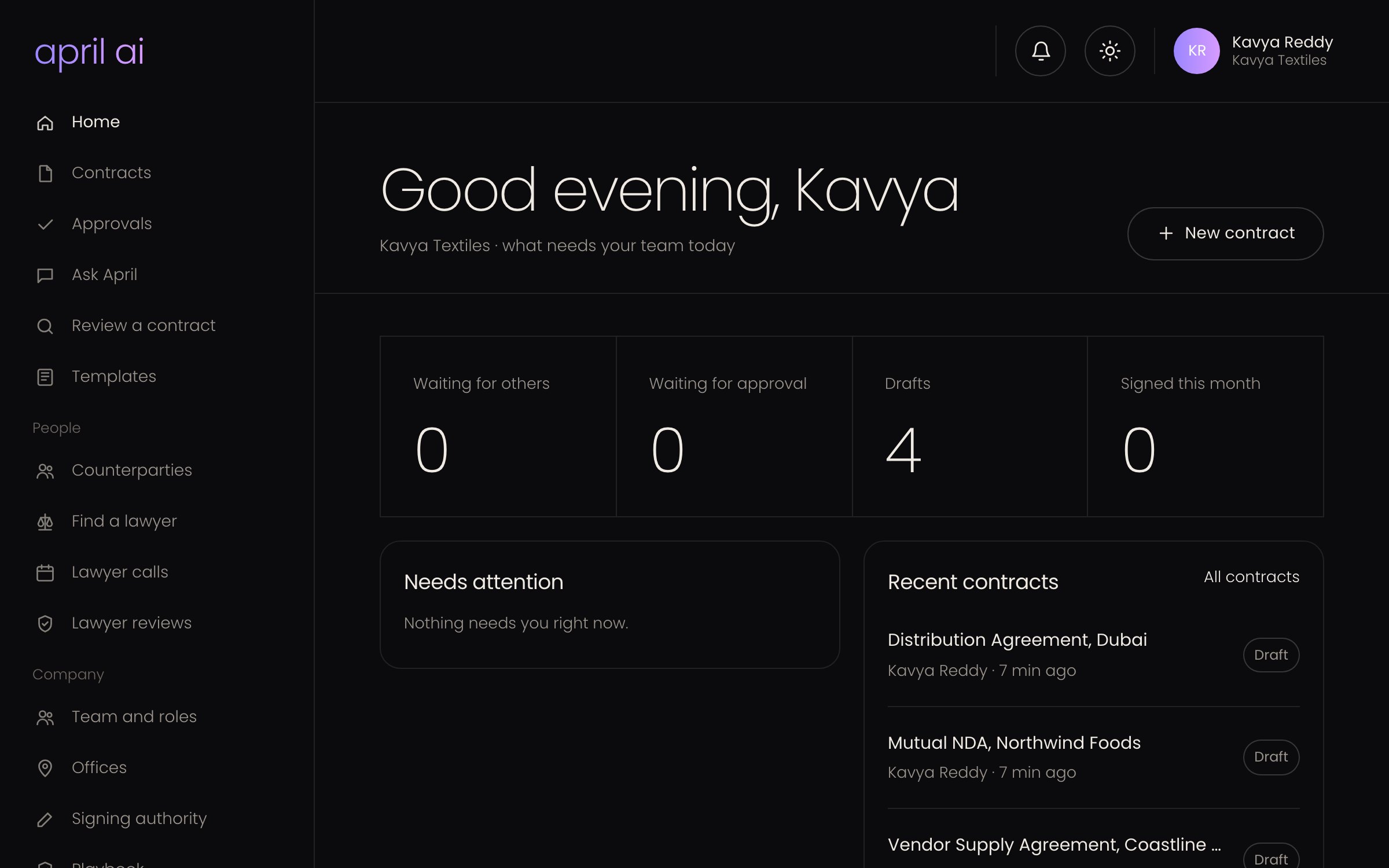
One platform, three ways in
Made for the way you deal with the law.
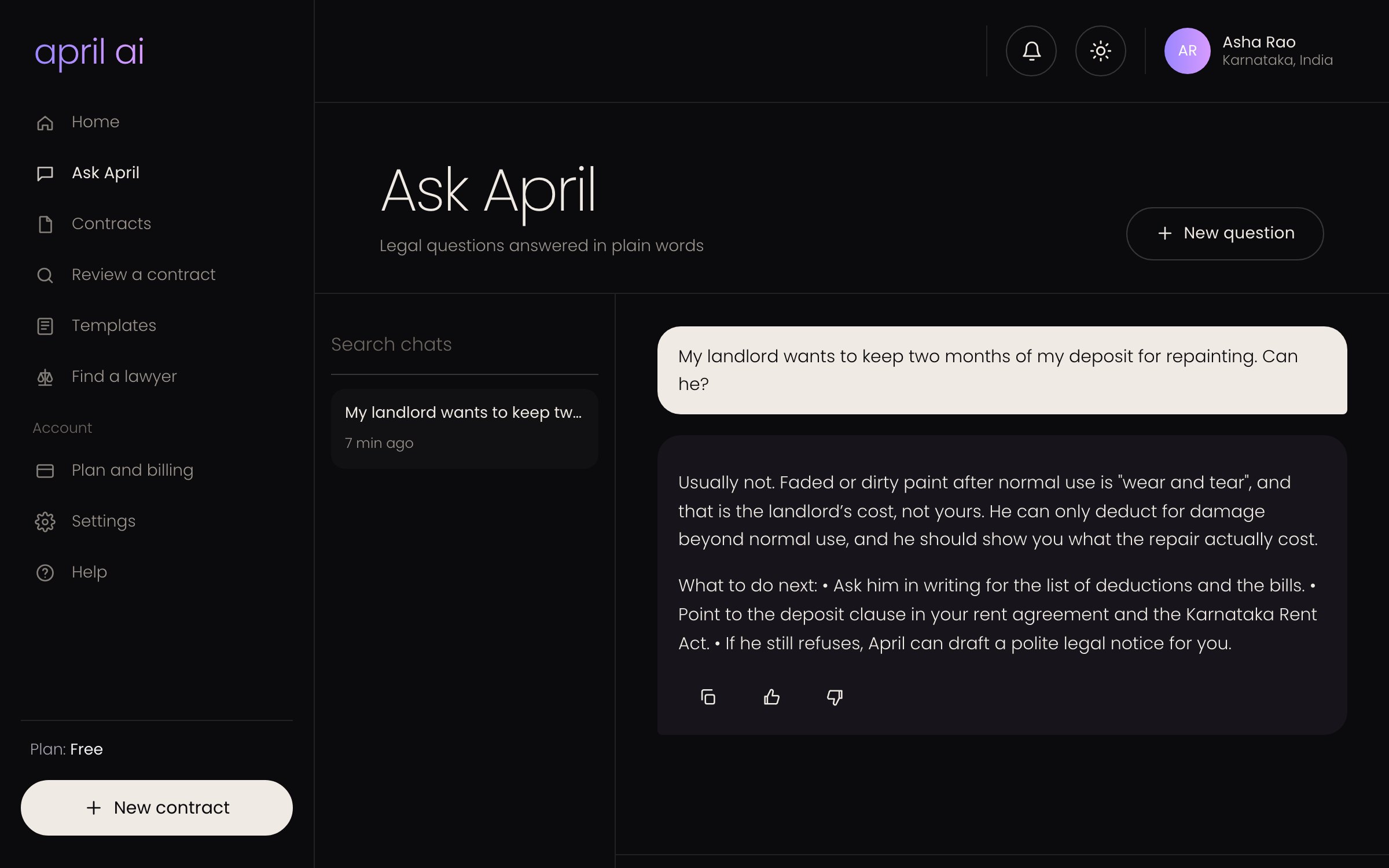
Know where you stand, before it costs you.
- ✓Ask anything. Deposit disputes, notice periods, consumer complaints. Clear answers with the law behind them.
- ✓Check what you sign. Rent agreements, job offers and loan papers, reviewed clause by clause.
- ✓Draft simple contracts. Rental, freelance and loan agreements from a few questions.
- ✓Sign from your phone. Approve, request changes or sign, without printing anything.
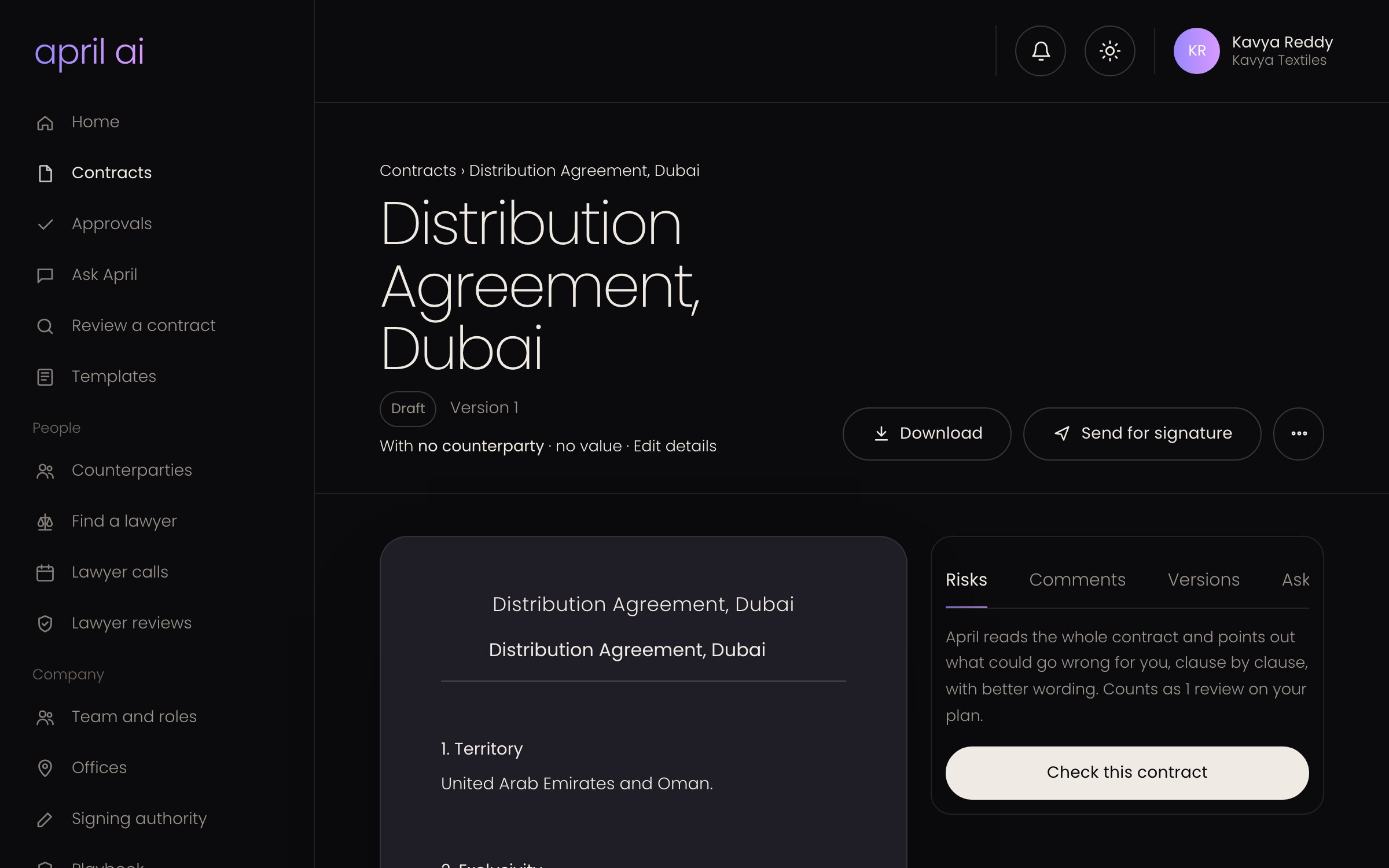
Contracts that move as fast as your business.
- ✓Draft in your company style. Templates, letterhead and approved clauses, reused by the whole team.
- ✓Review before you sign. Spot one-sided terms in vendor and customer contracts in seconds.
- ✓Send, negotiate, sign. Counterparties review and sign by link. Every change is tracked.
- ✓Your team, your rules. Roles, offices and approvals so the right people sign off.
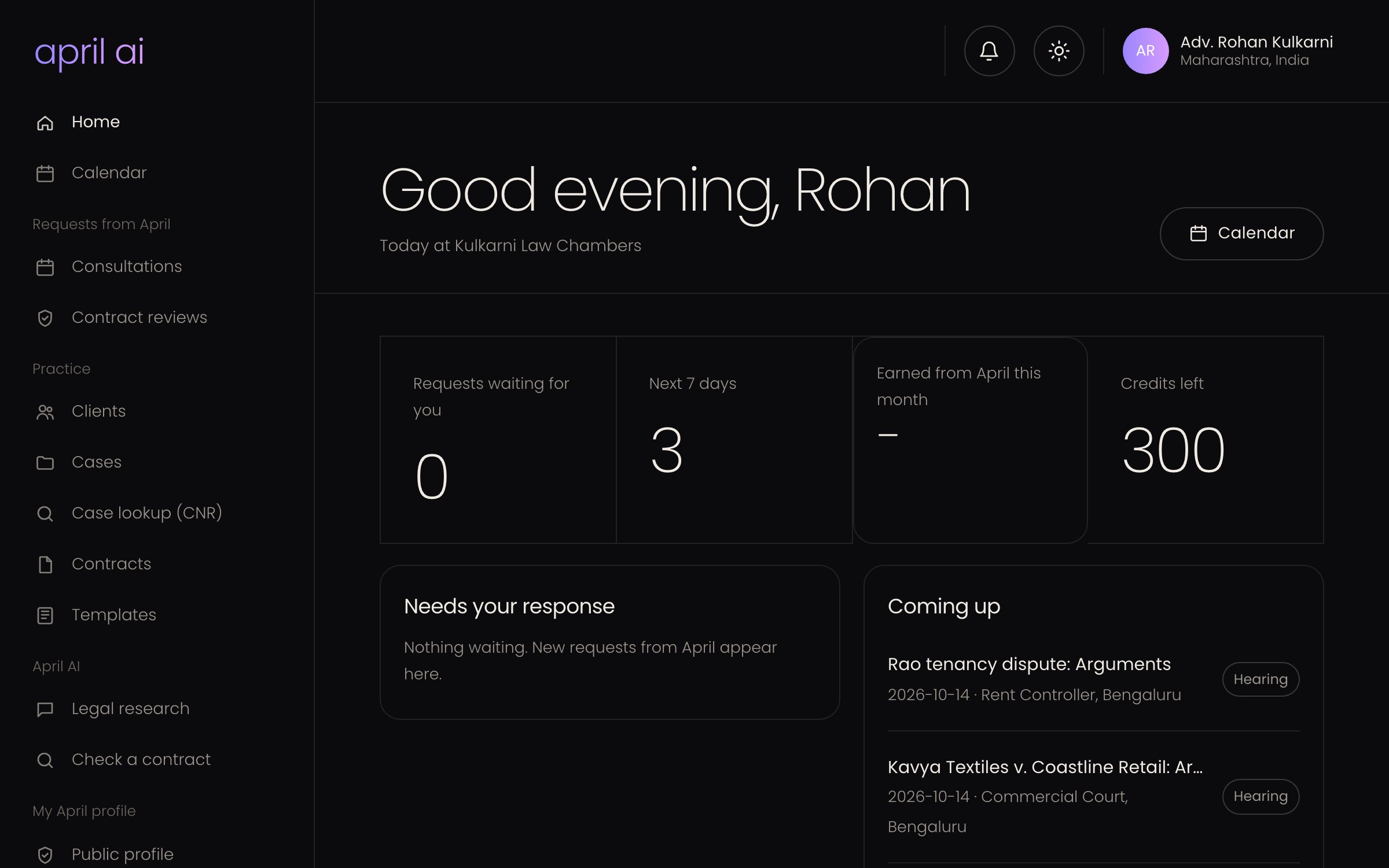
More time for clients. Less time on admin.
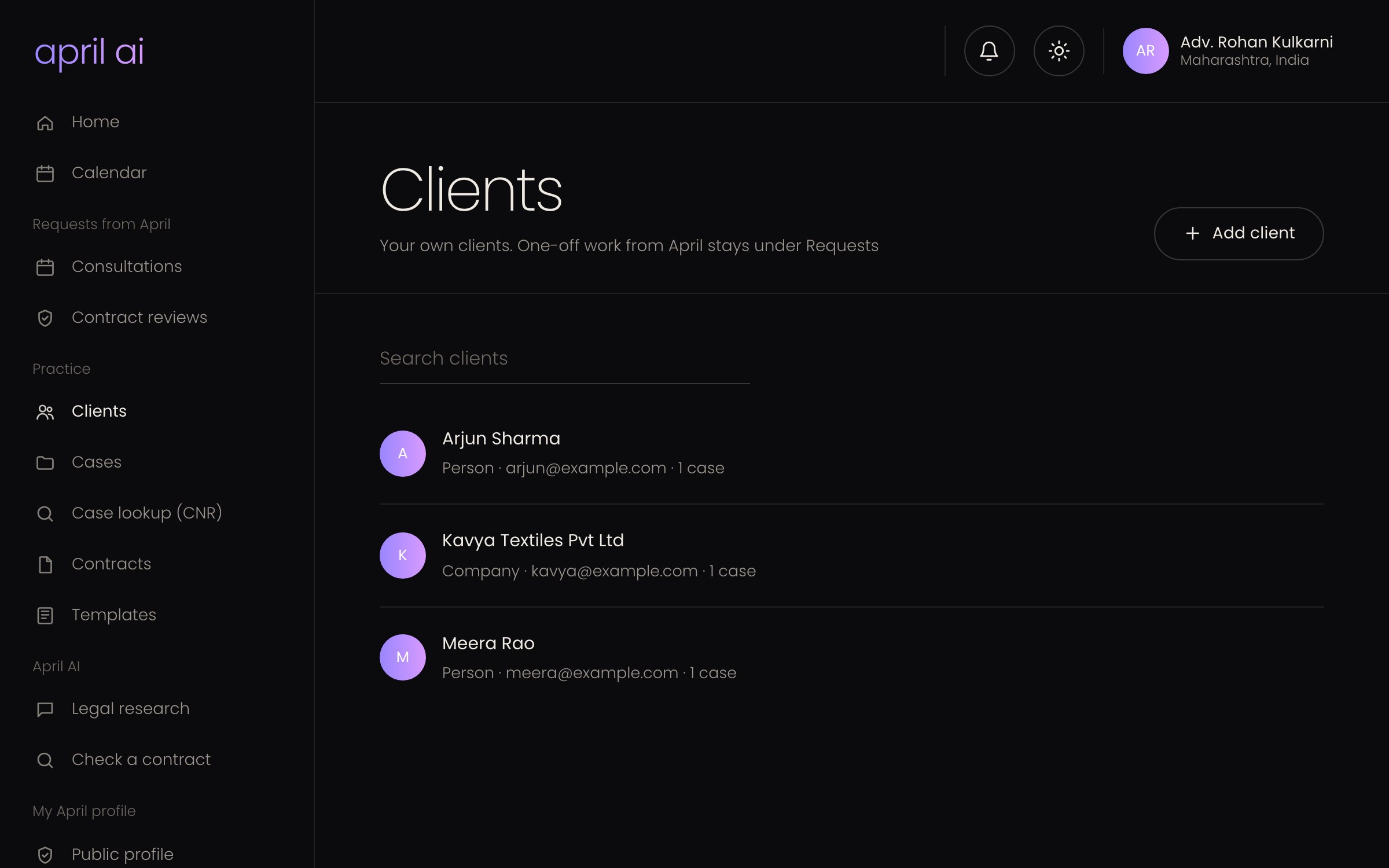
- ✓Clients and cases in one place. Consultations, documents, notes and communication logs per client.
- ✓Never miss a hearing. Upcoming hearings and follow-ups on your dashboard.
- ✓AI that knows the file. Case summaries, strengths and weaknesses, and drafts tied to the case.
- ✓New clients from April. People and businesses on April book video calls and contract reviews with you. You keep the full fee.
Time back
Where the week goes, and how April gives it back.
Contracts in email, drafts in Word, signatures in another app, court dates in a diary. Published research shows what that scatter costs.
lost getting back on track after switching between apps and websites, nearly 1,200 times a day.
Harvard Business Review, 2022 · study of 137 people at three Fortune 500 companiesof a contract's value is lost on average through poor contract management.
World Commerce & Contracting, 2025contract cycles at the best-run companies compared with the worst.
World Commerce & Contracting, 2025professionals expect AI to save each of them within a year.
Thomson Reuters, Future of Professionals 2025 · 2,275 professionalsWhat that means for your team
Uses the two research figures above and 48 working weeks a year. A guide, not a promise.
lost to switching between tools today (4 hours a week each).
professionals expect AI to give back (5 hours a week each).
Email, Word, a signing app, spreadsheets
Questions, drafts, reviews, approvals and signing in April.
A full draft from a few answers. Risky clauses marked, with the wording to ask for.
Signers reminded every 3 days. Approvers notified, key dates and renewals flagged.
What April does
Everything a contract or case needs, in one place.
Every feature has its own page with the details. See all features →
Check a contract before you sign
Upload a PDF, Word file or photo. April explains each clause simply, flags what's risky, and suggests a fairer version you can send back.
How review works →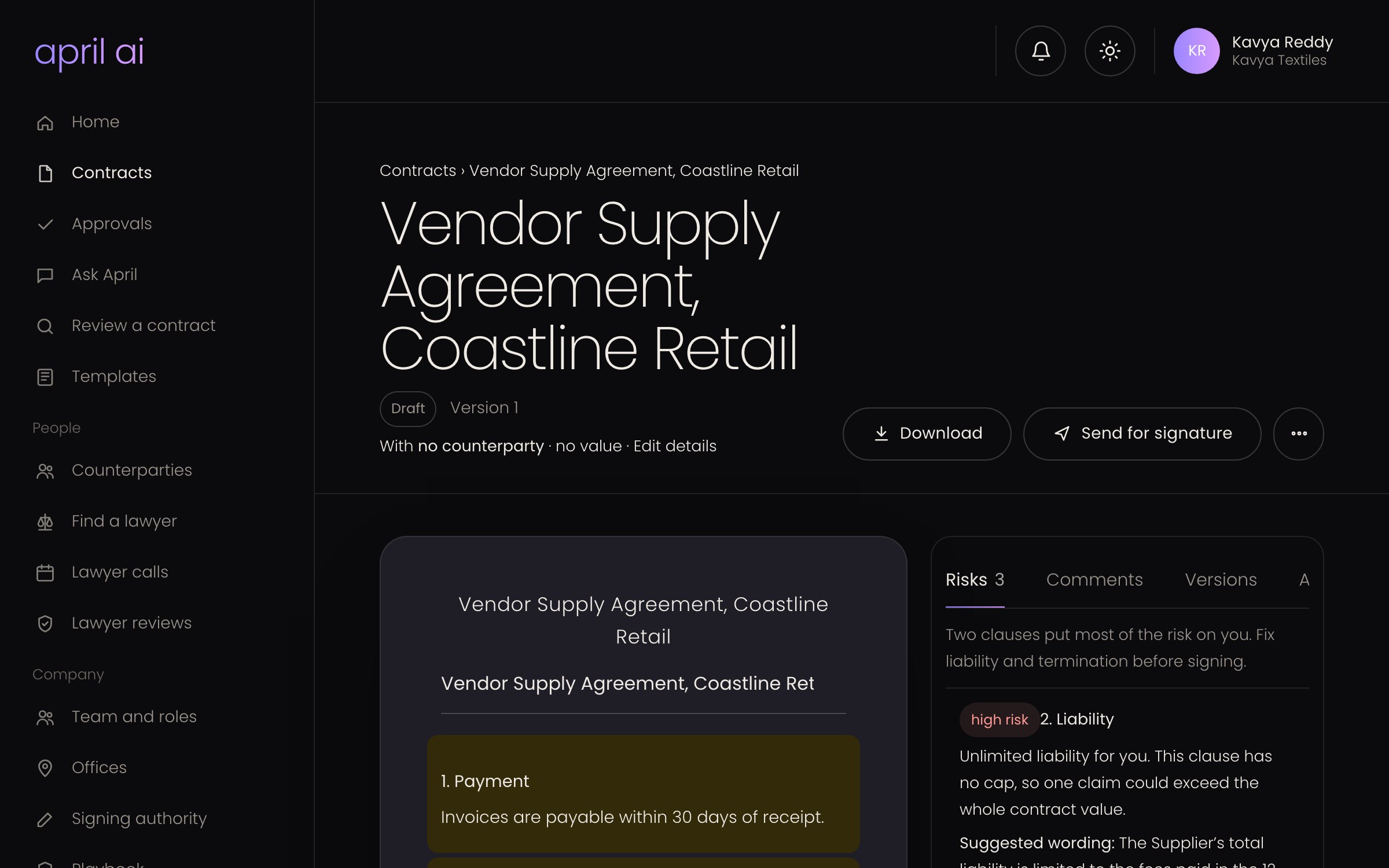
Ask April
Legal questions answered clearly, with the law it relies on. Attach a document for context.
How it works →EVERYONEDraft contracts
NDAs, service agreements, leases, offer letters and notices. Answer a few questions, then edit with AI.
How it works →EVERYONESign online
Send for signature by private link, add an SMS code for important documents, handle change requests, and keep the signed PDF with its audit certificate.
How it works →EVERYONEFind a lawyer
Book a video call with a verified lawyer, or ask one to review your contract and apply their changes in one click.
INDIVIDUALS AND BUSINESSESCases and court dates
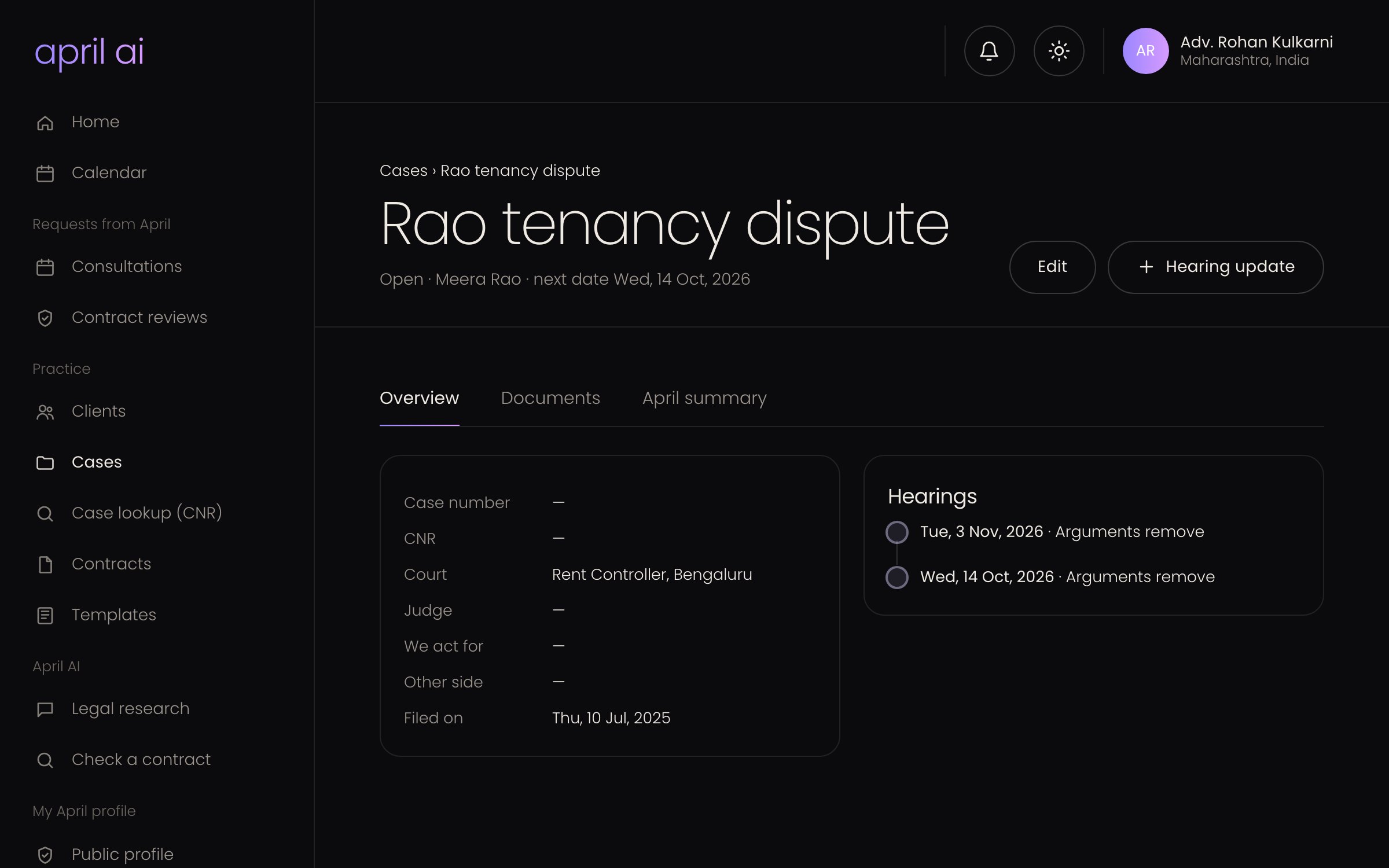
Track clients, cases and hearings on one calendar, and fetch a case’s hearing dates and orders from eCourts by its CNR number.
How it works →LAWYERSHow it works
From question to signed contract in minutes.
Tell April what you need
Ask a question, or pick a contract type and answer a few questions about the parties and terms.
Review it with April
See the draft or analysis, with risky clauses flagged. Ask April to change anything.
Sign and keep it safe
Send for signature. Every version and approval is saved, and April reminds you before renewals.
For lawyers and law firms
Run your practice. Let April do the paperwork.
Clients, cases, hearings and documents in one workspace, with AI that summarises a case and drafts for it.
- Court datesHearings and next dates on one calendar. Open a case on eCourts from its CNR number.
- AI case briefSummary and strengths, weaknesses, opportunities and threats from your case file.
- Requests from AprilCalls and contract reviews from April’s customers, paid through April. No commission.
- Your firmLawyers, offices and roles, with permissions per module.
Pricing
Start free. Pay as you grow.
Trial
Trial plan
- 10 questions to April a month
- 5 contract drafts a month
- 5 contract reviews a month
- Unlimited signature requests
- E-signature with one-time codes
- Find a lawyer
Starter
- 10 questions to April a month
- 1 contract drafts a month
- 2 contract reviews a month
- Unlimited signature requests
- Find a lawyer
Pro
- 15 questions to April a month
- 3 contract drafts a month
- 5 contract reviews a month
- Unlimited signature requests
- Find a lawyer
Prices include GST. You can cancel a plan any time; it stays until the end of the period you paid for.
Built on trust
Clear about what AI can and can't do.
April explains the law and tells you when a situation needs a lawyer.
Every lawyer and firm on April is checked by our team before they can take clients.
Contracts and case documents are visible only to your account and the people you share them with.
Every change request, approval and signature is logged with who did it and when.
Questions
Good to know.
Can't find your answer? Ask April, or write to our team from inside the app.
What is The April AI?
An AI legal assistant for individuals, businesses and lawyers. It answers legal questions clearly, drafts and reviews contracts, handles online signing, and helps lawyers manage clients and cases.
Is April a replacement for a lawyer?
No. April gives legal information so you understand where you stand. For decisions with real consequences, talk to a lawyer. You can book a verified one on April.
Which countries does April cover?
India and the United Arab Emirates. Answers, contract templates and lawyer search are set up for each country.
How do credits work?
Each plan includes a monthly allowance. If you use it up, credits let you keep going without upgrading: by default a question uses 1 credit, a contract review 5 and a draft 10. Bought credits don’t expire.
Can I use April on my phone?
Yes. April works in your phone's browser, so you can ask a question or sign a contract on the go.
I'm a lawyer. How do I join the marketplace?
Sign up as a lawyer or law firm, add your Bar enrolment details and certificate, and our team verifies your profile. Once approved, set your fees and hours, and customers can book calls and reviews with you.

Your first answer is free.
Sign up in under a minute with Google, email or phone.